

How to Program an Automatic Gate Remote in Orangeburg, SC
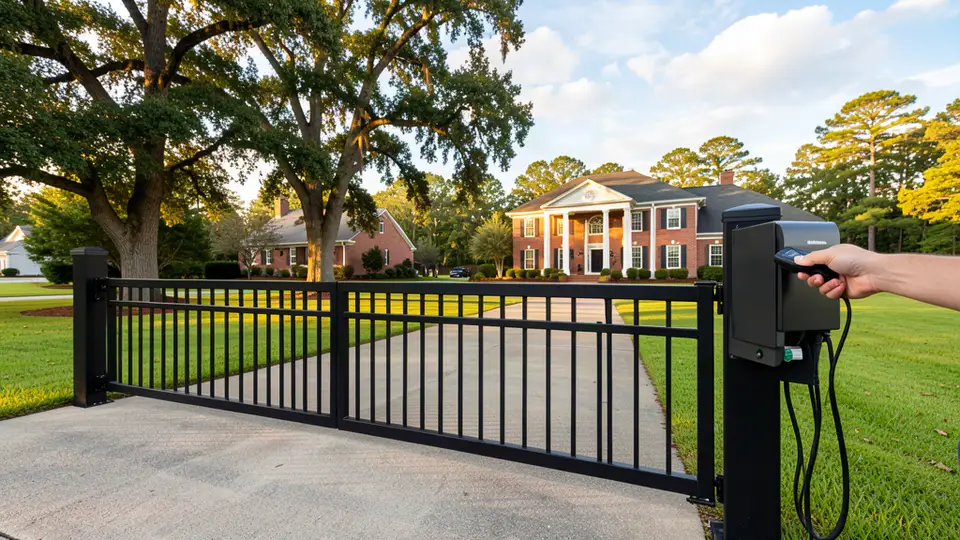
You can program most automatic gate remotes in Orangeburg, SC in under two minutes by pressing the Learn button on your gate operator and then holding the button on the remote until the operator's light flashes. The exact sequence differs by brand, so the step-by-step instructions below cover LiftMaster, Chamberlain, DoorKing, Viking, and AES access control systems. If you manage a commercial gate, cannot locate the programming controls, or simply want it done right the first time, Dubya Fence Company programs gate remotes and keypads across Orangeburg County — call (803) 855-1001 for same-day help.
How Do Automatic Gate Remotes Work?
Automatic gate remotes work by sending a coded radio signal on the 300–433 MHz frequency band to a receiver inside the gate operator, which then triggers the motor to open or close the gate. Older operators use fixed-code (dip switch) transmitters, while modern operators such as LiftMaster Security+ use rolling codes that change with every press so the signal cannot be copied by thieves. Before any remote will control your gate, it must be paired, or programmed, to that specific receiver.
There are three common credential types you will see on Orangeburg properties: handheld remotes and key fobs for drivers, wall-mounted keypads for staff and contractors, and, on commercial sites, card readers, telephone entry, and smartphone credentials managed through an access control system. The programming method depends entirely on which type your gate uses — a residential fob pairs through the operator's Learn button, while an AES keypad or fob is created in the controller's software.
How Do You Program a LiftMaster or Chamberlain Gate Remote?
To program a LiftMaster or Chamberlain gate remote, press and release the Learn button on the operator, then within 30 seconds press and hold the button on your remote until the operator's LED blinks or the motor clicks once. That confirms the pairing, and the remote should operate the gate immediately afterward.
- Find the Learn button. Open the operator housing and look for a square purple, yellow, or green button beside the antenna wire. On sliding gates it sits inside the control box on the gate post.
- Press Learn once. The LED light next to it turns on; you now have about 30 seconds to pair a remote.
- Hold the remote button. Press and hold the remote button until the operator's LED blinks or flashes, then release. Some models require a second press-and-hold.
- Test it. Press the remote from 10 feet away; the gate should move. Program additional remotes the same way.
If your operator is a newer smart model, you can often add smartphone control through the manufacturer app instead of a physical remote. For a full list of opener options, see our gate openers page.
How Do You Program a DoorKing or Viking Gate Remote?
DoorKing and Viking transmitters are programmed through the operator's control board in a dedicated program mode, and older Viking units use matching dip switches between the remote and receiver. The principle is the same as other brands — put the receiver into programming mode, then transmit the remote so the receiver records its code — but the button sequences differ by model.
On most DoorKing operators, you open the control box, press the Program button on the encoder board until the LED begins flashing, then press and release the button on the transmitter; the LED stops flashing to confirm it learned the transmitter. Viking GTO units use a similar Learn mode, while legacy models require the DIP switches inside the remote and receiver to be set to identical positions. If your model's sequence is not obvious, or if you pair multiple remotes that suddenly stop working together, the memory may need a full reset — a job that is quick for an experienced gate technician from our gate services team.
How Do You Program an AES Gate Keypad or Access Control System?
Commercial AES access control systems are programmed through the controller's management software or programming keypad, not through the operator's Learn button, because each credential carries its own user ID, schedule, and audit record. A technician enters program mode with a master code, assigns a user number, then issues the PIN, key fob, or smartphone credential to that user.
This is where professional installation pays off. Dubya Fence Company is an authorized dealer for AES access control, and we program keypads, proximity cards, fobs, and phone-app credentials for businesses across Orangeburg County — including warehouses, apartment complexes, self-storage, and industrial parks. We also set entry schedules (who can enter and when), revoke credentials instantly when staff leave, and keep the audit trail your insurance and management need. See our access control page for system details.
How Do You Set or Change a Gate Keypad Entry Code?
To change a gate keypad code, enter the master code, then press the star button, enter a new four-to-six digit code, and press the pound button to save it. Every brand uses a slightly different sequence, but virtually all gate keypads follow this master-code pattern so that any user can be reprogrammed without touching the operator.
- Never reuse an old employee's code. Delete or change it on the day they leave — former staff with a working gate code is one of the most common security gaps on commercial sites.
- Avoid obvious codes. Birthdays, 1234, and business addresses are the first numbers intruders try.
- Rotate codes quarterly on commercial gates, and keep a written record of who holds which code.
- If the master code is lost, the controller must be reset and all credentials reprogrammed — a service Dubya Fence performs regularly for Orangeburg businesses.
Why Won't My Gate Remote Work After Programming?
If a freshly programmed remote still will not open the gate, the usual culprits are a dead battery, a frequency mismatch, a rolling-code desync, or a receiver that has lost power. Work through these checks before calling for service, because most are five-minute fixes.
- Battery. Replace the remote battery (typically a CR2032 coin cell) — this fixes more than half of all remote failures.
- Rolling-code desync. Press and hold the remote button for 10 seconds, then press it twice quickly; this re-syncs LiftMaster-style rolling codes.
- Frequency. Older remotes transmit at 300 or 310 MHz while many new operators listen on 390 or 433 MHz; a remote from a previous gate may simply be incompatible.
- Signal path. Metal gate leafs, mounted antennas, and nearby Wi-Fi or LED fixtures can cut range. Move the antenna to a vertical position for the best reach.
- All remotes dead at once. This points to the receiver board or a tripped fuse, not the remotes — have the operator inspected before buying new remotes.
- Commercial schedules. On AES systems, the user's schedule or permissions in the software may be blocking entry at that hour even though the credential is valid.
If your gate itself is behaving oddly, our automatic gate troubleshooting guide covers the most common operator faults, and our technicians handle gate repair across Orangeburg County.
How Much Does It Cost to Program a Gate Remote in Orangeburg, SC?
Programming a residential gate remote costs nothing if you do it yourself, or between $75 and $150 for a professional visit in the Orangeburg area, while commercial access control programming typically runs $150 to $300 depending on the number of users and systems involved. Replacement remotes cost roughly $15 to $60 for residential models and more for commercial or brand-specific transmitters.
Many homeowners can follow the Learn-button steps in this guide and never pay for programming at all. Commercial sites, though, should budget for dealer programming because AES, card-reader, and telephone-entry credentials must be configured in software with correct schedules and audit settings. Dubya Fence Company's Gate Service Plan includes remote and keypad programming as part of routine maintenance, which is usually the most cost-effective option for businesses. For a quick range of what an automatic gate system costs in Orangeburg, see our automatic gate cost guide.
When Should You Call a Professional in Orangeburg?
Call a professional gate technician when you cannot find the programming controls, when every remote fails at once, when a commercial or gated-community system needs credentials managed, or when the gate moves erratically after programming — because erratic movement usually means a safety or operator fault, not a remote problem.
- Commercial gates and UL 325. Automated commercial gates must meet UL 325 safety requirements; a homeowner-tinkered program mode is not worth the liability on a warehouse, apartment, or office-park gate. Learn more about UL 325 safety in Orangeburg.
- Multi-user systems. If you need entry schedules, instant credential revocation, or audit logs, use an authorized commercial gate dealer.
- Safety sensor faults. Photo eyes, safety edges, and loop detectors have their own wiring and programming; a gate that reverses or refuses to close is a safety issue that only a technician should touch.
- Storm damage. After an Orangeburg thunderstorm or lightning strike, have the operator and receiver checked before reprogramming anything.
For gate remote programming near me in Orangeburg, or for commercial sites in Cordova, North, Rowesville, Cameron, Bamberg, and Holly Hill, Dubya Fence Company dispatches technicians daily. Call (803) 855-1001 or request a quote online.
Frequently Asked Questions
Can I program an automatic gate remote myself?
Yes, for most residential operators you can program a gate remote yourself in about two minutes using the Learn button on the operator. LiftMaster, Chamberlain, and most swing and slide gate operators use a simple pairing sequence. Commercial AES access control systems and some DoorKing setups require dealer-level programming, and Dubya Fence Company can handle those for any Orangeburg property.
Where is the Learn button on my gate opener?
The Learn button is located on the gate operator's control board, usually inside the weatherproof housing next to the antenna wire. It is often labeled Learn, Set, or Program, and on LiftMaster units it is a purple, yellow, or green square button. On sliding gates it is typically inside the control box mounted on the gate post or operator.
Why did all of my gate remotes stop working at once?
When every remote stops working at the same time, the problem is almost never the remotes themselves; it is usually the receiver board, a blown fuse, a power surge after a storm, or a factory reset of the operator. Have the operator inspected before buying replacements, because new remotes will not fix a dead receiver.
How many remotes can an automatic gate opener hold?
Most residential gate operators store between 8 and 30 remotes, while commercial operators and AES controllers can hold hundreds or thousands of credentials. When the memory fills, you must clear the operator memory and reprogram every remote, which is another reason commercial sites keep a service record with their dealer.
What if my gate remote works but the gate does not open?
A remote that lights up and beeps while the gate stays still points to a problem in the operator, safety sensors, or wiring, not the remote programming. Check that the photo eyes are aligned and clear, confirm the operator has power, and check for a lock or timer mode on the control board. If it still will not move, call a gate technician.
Do commercial gate remotes need a professional to program?
Commercial gates operated by AES access control systems, card readers, and telephone entry should be programmed by an authorized dealer so credentials, schedules, and audit logs are configured correctly and UL 325 safety settings are not disturbed. Dubya Fence Company provides commercial programming and user training across Orangeburg County at (803) 855-1001.
Published November 2, 2026 | Dubya Fence Company serves Orangeburg, Cordova, North, Rowesville, Cameron, Bamberg, Holly Hill, Santee, St. George, and all of Orangeburg County, SC.